01 · Pick a place
A proper plan.
Explore five complete trip ideas with different budgets, lodging, courses and itineraries. Change the numbers, compare scenarios and ask your group what works.
Golf Trip Workshop · Free & open source
A golf weekend has a surprising number of moving parts. Put the trip ideas, group preferences, matches, course notes and shared bill in one place. I built this for my own use, and you can make it yours.
Complete invented demo · No account or AI subscription · Mac, Windows and Linux

01 · Pick a place
Explore five complete trip ideas with different budgets, lodging, courses and itineraries. Change the numbers, compare scenarios and ask your group what works.
02 · Keep score
Singles and better ball, player tees, handicap calculations, pairings and hole-by-hole scoring. Photograph a card, review it, and keep the results together.
03 · Settle up
Course guides, house notes, prize records, shared expenses and who owes whom. Export your records and keep a copy. The app never sends a payment.
The working product
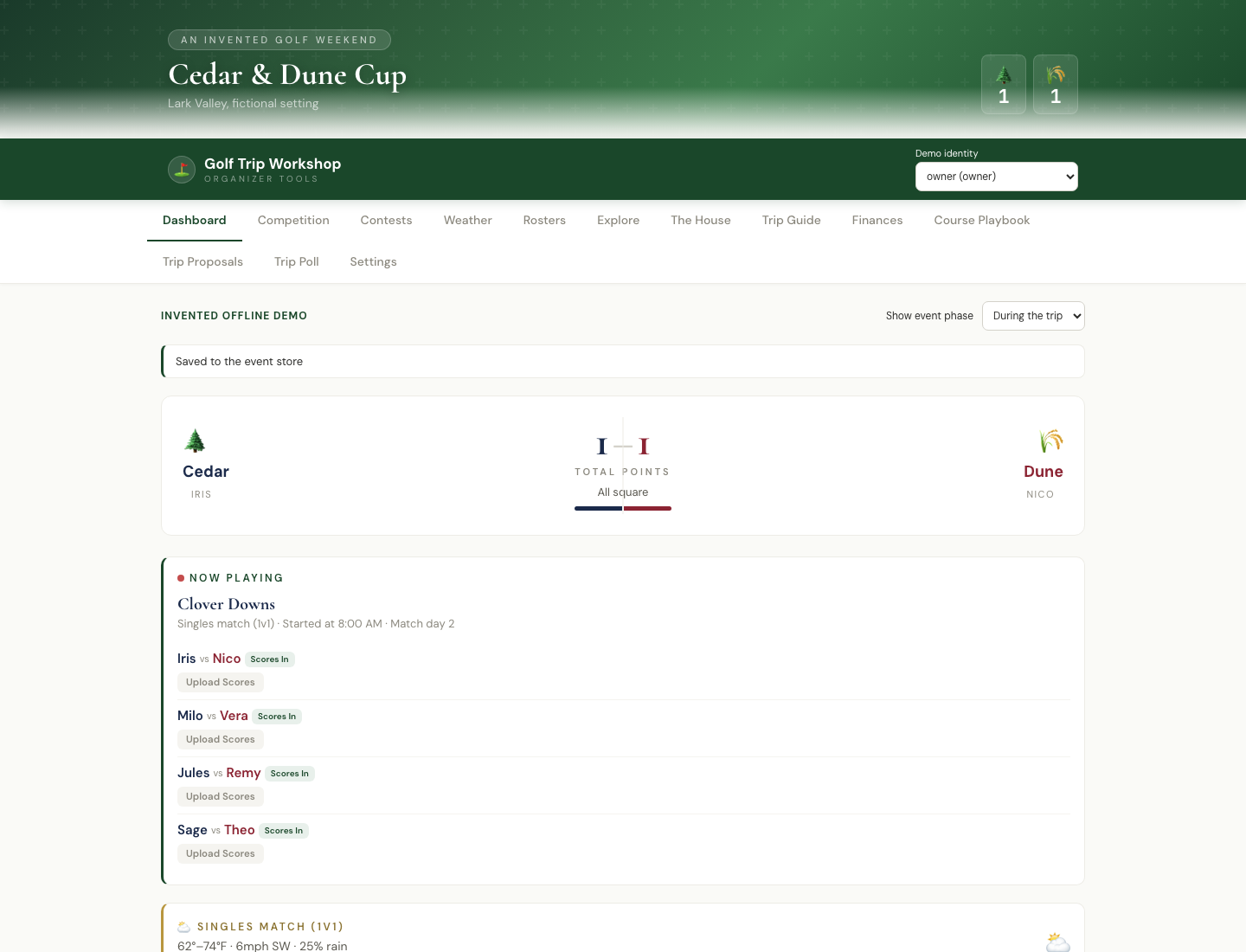
The example opens the Cedar & Dune Cup in an invented setting. Some matches have scores, others are waiting, and there are trip choices to compare. Switch between organizer and participant to see both sides.
Enter a score, change a tee, add an expense or answer the poll. Your changes survive closing and reopening the app. A save conflict keeps both versions for you to review.
After its first installation, the demo runs on your computer without provider calls. Optional AI scorecard reading and live weather belong to your own separately configured private event.
A copy you can keep
GitHub hosts the download and source code. You do not need an account there. The Start file installs the app and opens your browser.
Built for personal use, shared freely
Make it your own, and feel free to improve mine. Hopefully it gives you a useful starting point, or at the very least some ideas. Cheers!
The full application, calculation logic, design, setup instructions and assistant skill are included. The MIT license lets you use, change, share and sell the code, with its short notice retained. Bundled fonts keep their open font licenses.
For your own group, the customization guide keeps personal settings and records separate from the public engine. A shared real event needs an authenticated Node server behind HTTPS and individual access links. Finalize its structural configuration before people start saving.
The workshop records agreed competition rules and uses some informal performance estimates. It does not issue official handicaps, make reservations or collect money. Review every scorecard before saving it.